Follow our step-by-step guide to install Jenny Mod on Minecraft Java and Bedrock editions in minutes.
Install Jenny Mod on Minecraft Java Edition using Forge mod loader. Follow these 5 steps to get started.
Visit the official Minecraft Forge website and download the installer for version 1.12.2. Run the installer, select "Install Client," and let it complete. This creates a new Forge profile in your Minecraft Launcher automatically.
Download the Jenny Mod .jar file from the official GitHub repository. Save the file to a location you can easily find, such as your Desktop or Downloads folder.
Open your Minecraft installation directory and find the mods folder. If it does not exist, create a new folder named "mods" inside the .minecraft directory.
%appdata%/.minecraft/mods~/Library/Application Support/minecraft/mods~/.minecraft/modsCopy or move the downloaded Jenny-Mod-Forge-1.12.2-v1.9.0.jar file into the mods folder. Do not extract or unzip the file. Keep it as a .jar file.
Open the Minecraft Launcher and select the Forge 1.12.2 profile from the dropdown menu at the bottom left. Click Play. Once Minecraft loads, Jenny Mod will appear in the Mods list on the main menu.
Install Jenny Mod on Minecraft Bedrock Edition for mobile, console, and Windows 10/11. No mod loader needed.
Download the Jenny Mod .mcpack file from the official GitHub repository to your device. This file works on Android, iOS, and Windows 10/11.
Tap or double-click the downloaded .mcpack file on your device. Your operating system will recognize it as a Minecraft add-on and open Minecraft Bedrock Edition automatically.
Minecraft Bedrock will start and begin importing the mod file. Wait for the "Import successful" notification to appear at the top of the screen. This usually takes a few seconds.
Create a new world or edit an existing one. Navigate to the Add-Ons section, select Behavior Packs, find Jenny Mod in the list, and tap Activate. Start the world to enjoy Jenny Mod.
Running into problems? Here are solutions to the most common Jenny Mod installation issues.
Make sure you are using Forge 1.12.2 specifically. Other Forge versions are not compatible. Remove any conflicting mods from the mods folder and try again. Allocate at least 4 GB of RAM in the launcher settings.
Verify the .jar file is placed directly in the mods folder, not in a subfolder. Confirm you selected the Forge profile in the launcher. Restart Minecraft completely and check the Mods button on the main menu.
Ensure Minecraft Bedrock is installed and updated to the latest version. If the .mcpack file does not open automatically, try renaming the extension to .zip, extracting, and manually placing files in the behavior_packs folder.
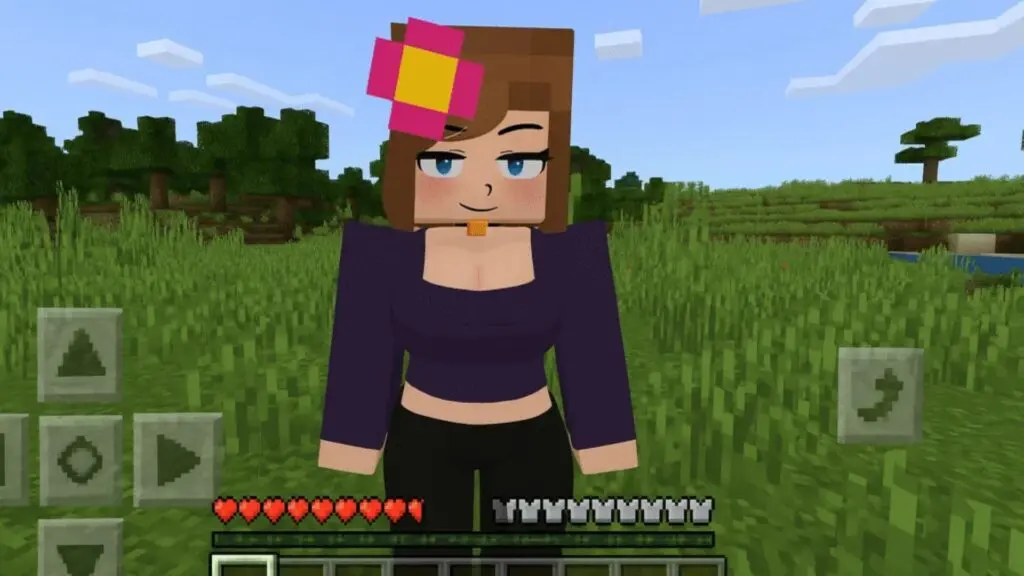
Make sure your device meets these minimum requirements before installing Jenny Mod for Minecraft.
| Operating System | Windows, macOS, Linux, Android, iOS |
|---|---|
| RAM | 4 GB minimum (8 GB recommended) |
| Minecraft Version | Java 1.12.2 / Bedrock 1.17.0+ |
| Mod Loader | Forge 1.12.2 (Java Edition only) |
| Storage Space | 100 MB free space minimum |
| Java Version | Java 8 or newer (Java Edition only) |
Answers to frequently asked questions about installing Jenny Mod for Minecraft.
Yes, for the Java Edition you need Minecraft Forge 1.12.2 installed as your mod loader. For the Bedrock Edition, no additional mod loader is required. Simply open the .mcpack file and Minecraft will import it automatically.
On Windows, press Win+R and type %appdata%/.minecraft/mods to open the mods folder. On macOS, go to ~/Library/Application Support/minecraft/mods. On Linux, navigate to ~/.minecraft/mods. If the mods folder does not exist, create it manually inside your .minecraft directory.
Jenny Mod crashes usually happen because of an incorrect Forge version. Make sure you are using Minecraft Forge 1.12.2 specifically. Other common causes include conflicting mods, insufficient RAM allocation, or corrupted mod files. Try removing other mods and re-downloading the Jenny Mod file.
Yes, you can install Jenny Mod on mobile devices using the Bedrock Edition. Download the .mcpack file on your Android or iOS device, tap to open it, and Minecraft will import the mod automatically. Then activate it in your world settings under Behavior Packs.
Download Jenny Mod now and follow the steps above to start playing. Available for both Java and Bedrock editions.
Download Jenny Mod Now